
ATMOSFAR Weather Guide: Storms, Jet Streams and Night
How ATMOSFAR's weather works: jet streams, rainstorms and the day-night cycle, plus when to land, where to shelter and how to fly safely.
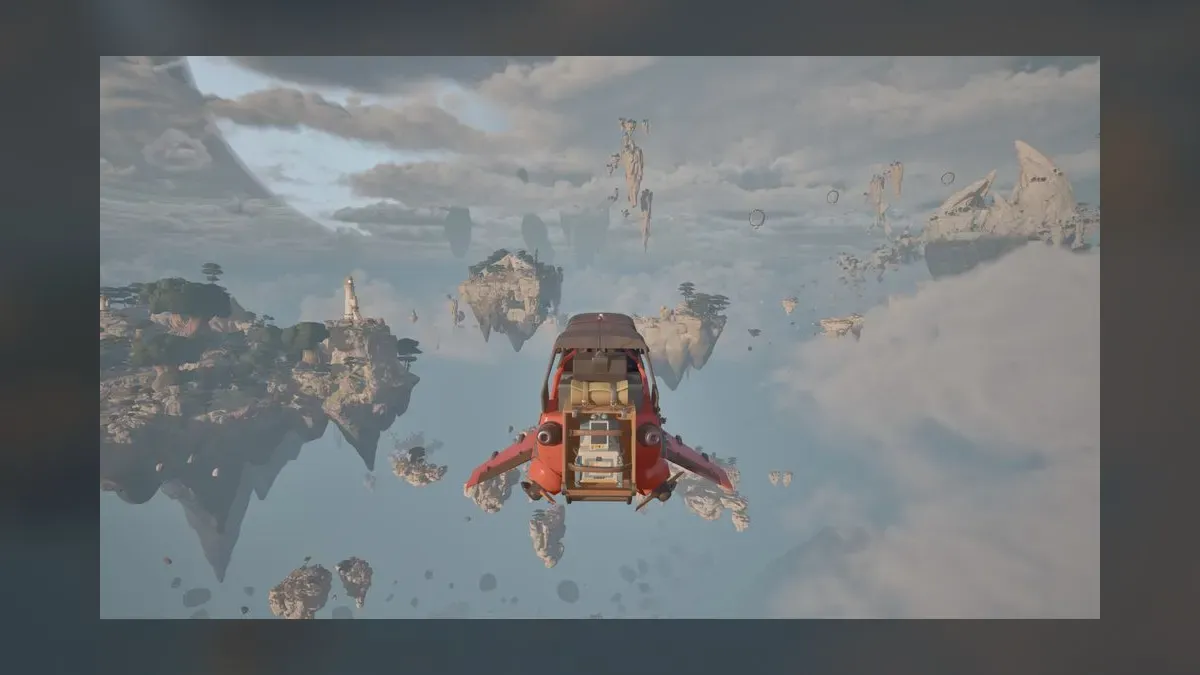
Weather on Tycos is not decoration. Jet streams push a light Wasp off course, rainstorms cut visibility, and night turns the same island into a much more dangerous place. The safe rhythm is simple: scout in clear daylight, land before the sky changes, and treat your Cloud Cruiser or camp as a shelter rather than a luxury.
ATMOSFAR sells itself as a flying game, but the sky is also the main hazard. The Steam page names two specific threats, howling jet streams and thunderous rainstorms, and warns you to take cover when day turns to night. That is the whole official brief. Everything below separates what the game actually states from the piloting habits that follow from it, so you can plan a route without mistaking community advice for a patch note.
What the game confirms
| Weather state | What the store page says | What it means in play |
|---|---|---|
| Jet streams | "Howling jet streams" are named as a hazard | Strong moving air that punishes low-altitude, low-speed flight |
| Rainstorms | "Thunderous rainstorms" are named as a hazard | Reduced visibility and a reason to land or reroute |
| Day and night | "Take cover when day turns to night" | Night is a survival state, not just a lighting change |
| Calm weather | The page contrasts calm with "unfavorable winds" | Calm windows are the intended time to travel |
The important detail is that these are presented as flying hazards, not as a survival meter you can out-heal. Your Wasp is a small aircraft with a hull, engine parts and hover modules. Wind and visibility act on the machine first.
Official source: ATMOSFAR on Steam
How to read the sky before it reads you
ATMOSFAR does not advertise a detailed forecast screen, and no official post describes a wind-direction gauge or a storm timer. Treat any exact "storm arrives in X minutes" claim as unverified. What you can do is build a routine around the visual cues the game does give you:
- Look at the horizon before takeoff. A calm departure is worth more than a fast one. If the sky is already dark and moving, do the camp chores first.
- Climb before you commit. Altitude gives you room to turn around. A jet stream that shoves you sideways near a cliff is a crash; the same push at height is an inconvenience.
- Keep a landing option. Fly island to island rather than crossing open sky with an empty fuel gauge. Every island is a potential shelter.
- Watch your fuel burn. Fighting wind costs fuel. A route that is fine in calm air can leave you dry when you spend ten minutes crabbing sideways.
This is inference from the game's own hazard description, not a hidden mechanic leaked from the code. The safe assumption is that weather makes every other system more expensive.
Flying through a jet stream
Jet streams are the most misunderstood hazard because they do not damage you directly. They move you. The counterplay is airmanship:
- Do not hover in a stream. Hovering is the Wasp's most useful trick and its worst stance in moving air. Point the nose where you want to go and keep speed up.
- Aim upstream. If you need to reach a point on the far side, angle into the flow rather than trying to fly a straight line. You will travel a longer path and arrive with less drift.
- Drop the heavy load. A Hauler with a reactor core is a sail. If the wind is winning, land, secure the cargo and come back in better conditions.
- Use the terrain. A ridge or a rock wall can block the worst of the flow. Fly the sheltered side even if the route is longer.
The Hauler is the worst aircraft for this job: slow, heavy and thirsty. The Striker has the acceleration to punch through a gust, but it is still fragile. The Utility Wasp is the one you want when the plan is to set down and wait.
Rainstorms: land early, repair after
The store page pairs rain with thunder, and the practical response is the same as real flight: reduce your exposure. Rain is not the moment to attempt a precision landing on a small pad or to finish a cargo run with a damaged hull.
A storm routine that works with the game's systems:
- Land on the largest flat area you can reach, not the closest one. A bigger pad gives you room to abort.
- Deploy the camp or dock at the Cloud Cruiser. Both are built to keep you alive while you wait.
- Repair and refuel while the weather passes. Downtime is free maintenance time.
- Do not take off the moment the rain stops. Give the sky a minute; the calm edge of a storm is still windy.
One official detail from the 1.0-10 experimental notes is worth knowing here: the Wasp gets dirty over long flights and is washed clean by rain or waterfalls. That is cosmetic, but it confirms rain is a real world state that interacts with your aircraft rather than a screen effect.
Night on Tycos
The store page's instruction to take cover when day turns to night is blunt, and it should shape your session plan. Night is when the game expects you to stop travelling and defend or shelter. Do not schedule a first visit to a new region for dusk.
- Plan the last flight of the day before you leave camp. Know where you will land, not just where you are going.
- Keep the camp hub stocked. Food, fuel and a powered hub matter more at night than another stack of scrap.
- Use the Cloud Cruiser as a mobile safe house. It is a buildable base with a helm, wasp pads, fuel tanks and a lounge. Parking it near a new island turns a dangerous night into a checkpoint.
- Do not explore a cave system at night unless you have a clear exit. Getting turned around underground is the most common way a short trip becomes a lost evening.
The ATMOSFAR tips and tricks cover the camp and inventory side of this routine in more detail.
A weather-ready route plan
| Phase | Goal | Weather rule |
|---|---|---|
| Morning | Scout and mark landing sites | Fly in calm air, note sheltered pads |
| Midday | Haul heavy scrap and cores | Use the calm window, avoid jet streams with a loaded Hauler |
| Afternoon | Explore a new island | Keep one eye on the horizon and a return route in fuel |
| Evening | Return to camp or Cruiser | Land before dark, repair and cook |
| Night | Shelter, craft, research | Do not start a new region |
This is a conservative plan, and that is the point. ATMOSFAR's weather is designed to interrupt optimization. The players who lose Wasps are the ones who try to squeeze in one more trip.
What is not officially confirmed
There is no official patch note describing a forecast UI, lightning damage values, a wind-strength meter or a weather schedule for Tycos. If you see a guide quoting exact storm timers or "safe" wind speeds, it is guessing. The confirmed facts are the hazards named on the store page, the day-night warning, and the 1.0-10 note about rain washing the Wasp.
Sources and verification
- ATMOSFAR on Steam - store description naming jet streams, rainstorms and the day-night warning.
- ATMOSFAR official site - official game information.
- ATMOSFAR EA 1.0-10 experimental preview - notes on Wasp dirt, rain and waterfall washing.
- ATMOSFAR patch notes on this site - the stable hotfix timeline.
FAQ
Does ATMOSFAR have a weather forecast?
No official forecast system has been announced. The store page describes weather as a hazard you read and react to, not a schedule you plan around with a UI timer.
Can storms damage my Wasp?
The official store page calls rainstorms a hazard but does not publish damage numbers. Treat storms as a visibility and control problem first, and land rather than testing the hull.
Is night dangerous in ATMOSFAR?
Yes. The store page explicitly tells players to take cover when day turns to night, which makes night a shelter phase rather than a good time to explore a new island.
Does rain clean my Wasp?
The 1.0-10 experimental notes say the Wasp gets dirty over long flights and is washed clean by rain or waterfalls. This is a cosmetic detail, not a repair.
More ATMOSFAR Guides
How ATMOSFAR multiplayer works: four-player online co-op, crew roles, sharing the Cloud Cruiser, keeping camp running and mistakes that sink runs.
Is ATMOSFAR coming to PS5 or Xbox? The current console status, why Early Access is PC-only, what a port needs and where official news appears.
How cooking and food fit into ATMOSFAR's survival loop: where organic ingredients come from, how to stock a camp, and what is confirmed.
How crafting works in ATMOSFAR: crafting table, research desk unlocks, blueprint sources, material processing and the order to build tools and ship parts.
The animals, plantimals and machines that end ATMOSFAR runs: Screechers, Blisterbacks, Traproots, PACE drones and AA turrets, with counters for each.
ATMOSFAR has no crossplay in 2026: it is a PC-only Steam release. What that means for four-player co-op, consoles and a future crossplay patch.
The Atmosfar demo was delisted months before launch. What it covered, why it is gone, and a walkthrough of the same opening beats in the Early Access build.
The ATMOSFAR Early Access roadmap: Vagabond, Rime, Blue Side and Singularity updates, the Scout Wasp, the third region and the 20 November dev blog.