
Atmosfar Demo Walkthrough: Gone, and What to Play Instead
The Atmosfar demo was delisted months before launch. What it covered, why it is gone, and a walkthrough of the same opening beats in the Early Access build.
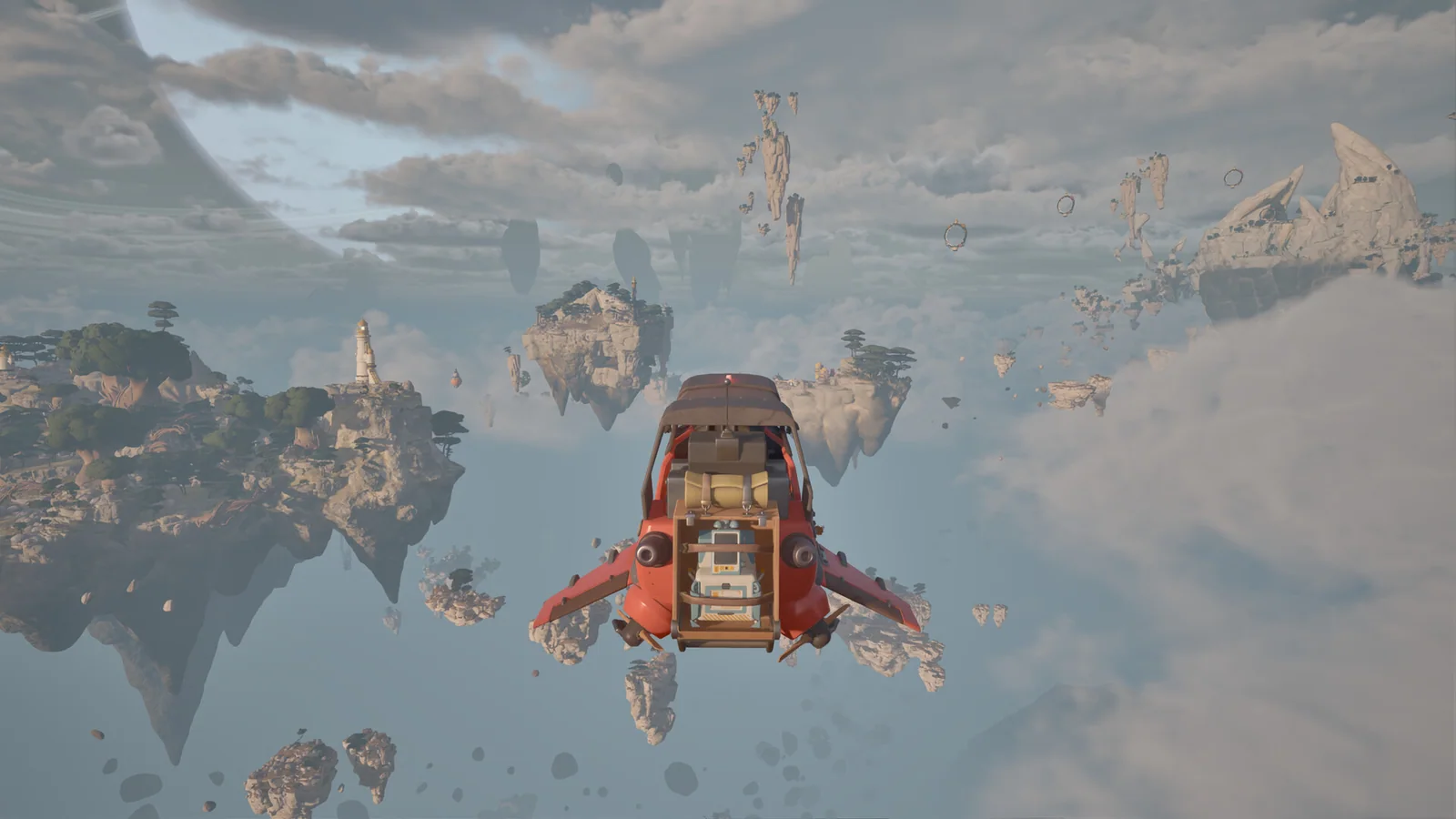
The ATMOSFAR demo no longer exists. It ran during Steam Next Fest in February 2026, stayed up for a few months, and was taken down before Early Access. On 25 May 2026, Apog Labs' community manager replied on the Steam forum that the studio would not run another demo before launch: "We will not be doing another demo before the EA release later this year, simply because we do not have the time to do so."
So there is nothing to download. What this page can do is reconstruct exactly what the demo covered, using the studio's own announcement, and then walk through the same beats in the build you can buy today.
What the demo actually contained
The official announcement, posted on 12 February 2026, described a slice built for Steam Next Fest rather than a tutorial stub:
- the opening of the story campaign,
- flying the Utility Wasp,
- exploration of uncharted floating islands,
- extreme weather, including the Firesky event,
- scavenging scrap,
- setting up camp,
- and the first steps of building an outpost.
That is a vertical slice of the loop, not a demo-only mode. Everything in that list exists in the Early Access build.
Capacity, not secrecy: no time to maintain a second build before Early Access.
The equivalent walkthrough, in the current build
The beats below are the closest thing to the demo route. They are also the first ninety minutes of a normal save, so nothing here is wasted if you buy the game.
1. Land on Pearl Island and take the mentor's tasks
The campaign opens on Pearl Island in Caligo Cays, at a PACE foundry site. The tutorial is delivered as tasks from your mentor, and the order matters: extraction, then crafting, then power, then flight. Do not skip ahead to flying; the camp tutorial teaches the power budget you will use for the rest of the game. The beginner guide covers the same first day in more detail.
2. Learn extraction and the first craft
You start with a backpack and hand tools. The first hour is about turning scrap into the components the camp needs. Pick up everything you see — the scrap guide explains why the junk you walk past is the bottleneck later.
3. Set up the Camp Hub and power it
The camp is not decoration. The Camp Hub powers every device in the camp, and the Utility Wasp is what carries and powers it. Build the hub, a tent and a crafting table on flat ground with a landing pad nearby. The camp hub guide covers the layout that stops you rebuilding in an hour.
The demo's camp site was scripted. In the full game you choose it, and a bad site costs fuel every single trip.
4. Take the Utility Wasp up
The first flight is the moment the demo was selling. The Utility Wasp hovers, carries the camp and outputs power, and it is slow and thirsty on purpose. Fly short hops first, land often, and get a feel for the altitude before you chase the horizon. The Wasp guide covers the classes you unlock later.
5. Close the fuel loop, then repair
Hydrogen crystals feed a refinery, and the refinery makes the liquid hydrogen that every Wasp and your jetpack burn. Build a field refinery at camp as soon as the tutorial allows it, and keep one full reserve canister in the backpack. This is the single step that turns a demo-length session into a real save. The hydrogen refinery guide has the full chain.
Large scrap has to be broken down at a material processor before it is useful. Repair your Wasp after every hard landing rather than after it fails; the repair cost is trivial next to losing a full cargo hold over open sky.
6. Push toward the first outpost
The demo ended around the first outpost steps. In the full game that moment is the gate to the Cloud Cruiser, the buildable airship that becomes your mobile base. You do not need a finished ship to progress, but you do need one that flies. The Cloud Cruiser guide covers the minimum viable build.
From there the order is: Cruiser, Fort Hannigan for the Striker Wasp, the weather-data objective, then the second region. The full route is in the Early Access walkthrough.
What changed between the demo and launch
The demo build was a February slice; the Early Access build shipped eight months later with a different tutorial flow, new weather behaviour, rebalanced fuel consumption and a long list of fixes — the game was on patch 1.0-12 by 12 November. Demo footage on YouTube is a historical record, not a guide.
FAQ
Can I still download the ATMOSFAR demo? No. It was delisted months before Early Access and the studio has said there will not be another one before release.
Is the demo content in the full game? The mechanics are. The exact mission flow is not; the launch build reworked the opening.
Where do playtests get announced? The ATMOSFAR Discord, not the Steam store page.
Official source: ATMOSFAR Steam news
Sources and verification
- ATMOSFAR official site — 12 February 2026 post announcing the Steam Next Fest demo and its contents.
- Steam forum thread: "Will there be a demo or playtest?" — developer reply from Sofia [Apog], 25 May 2026, confirming the demo was removed and no further demo is planned before Early Access.
- ATMOSFAR Steam news hub — patch cadence through 1.0-12 on 12 November 2026.
- Early Access walkthrough — the full progression route beyond the opening.
More ATMOSFAR Guides
How the ATMOSFAR Cloud Cruiser works: hull, reactor power, lift, fuel, material processor, plant beds, Wasp pads and the first modules to build.
How ATMOSFAR multiplayer works: four-player online co-op, crew roles, sharing the Cloud Cruiser, keeping camp running and mistakes that sink runs.
Is ATMOSFAR coming to PS5 or Xbox? The current console status, why Early Access is PC-only, what a port needs and where official news appears.
How cooking and food fit into ATMOSFAR's survival loop: where organic ingredients come from, how to stock a camp, and what is confirmed.
How crafting works in ATMOSFAR: crafting table, research desk unlocks, blueprint sources, material processing and the order to build tools and ship parts.
The animals, plantimals and machines that end ATMOSFAR runs: Screechers, Blisterbacks, Traproots, PACE drones and AA turrets, with counters for each.
ATMOSFAR has no crossplay in 2026: it is a PC-only Steam release. What that means for four-player co-op, consoles and a future crossplay patch.
The ATMOSFAR Early Access roadmap: Vagabond, Rime, Blue Side and Singularity updates, the Scout Wasp, the third region and the 20 November dev blog.